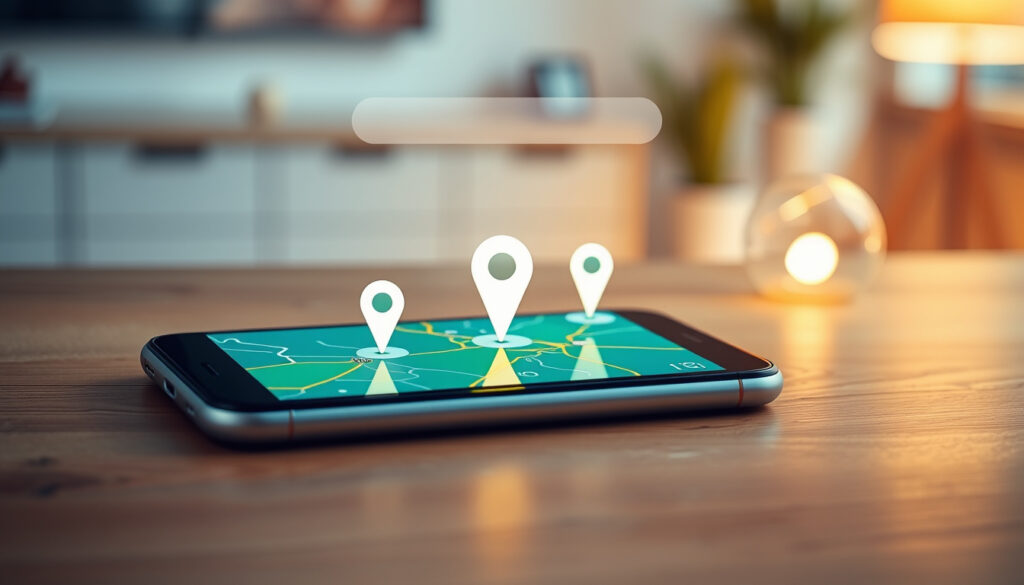
Google Find My Phone: Step-by-Step Guide to Locate It
Few things spark that sinking feeling quite like realizing your phone isn’t where you left it. Google’s Find My Device network now covers over a billion devices worldwide, and knowing how to use it can turn minutes of dread into a quick recovery.
Global Android devices: Over 3 billion active devices ·
Find My Device network: Over 1 billion compatible devices ·
Remote actions available: Ring, Lock, Erase ·
Cost to use: Free with any Google Account
Quick snapshot
- Google Find My Device can locate, ring, lock, and erase online Android devices (Google Find Hub product page)
- Google Maps location sharing requires active consent from all parties (Google Accounts Help documentation)
- Family Link allows parents to view the real-time location of their child’s device (Google’s Find Hub sharing guide)
- The exact reliability of the crowdsourced Find My Device network for offline devices across all regions (Google Blog announcement)
- The best free third-party tracker to choose if Find My Device is unavailable (Google Blog announcement)
- Whether a device can be tracked if it is fully powered off and the SIM card is removed (Google Blog announcement)
- Google announced the new Find My Device experience on 2024-04-08 (Google Blog)
- The product page now uses the “Find Hub” name, indicating a brand update (Google Find Hub)
- Track location of lost devices even when offline using the new crowdsourced network (Find Hub sharing guide)
- Share device access with family members through Find Hub sharing features (Find Hub sharing guide)
Five core facts define what Google’s Find My Device network can and cannot do — one pattern: the service is powerful but bounded by clear consent requirements and device conditions.
| Label | Value |
|---|---|
| Official Service | Google Find My Device |
| Web Interface | android.com/find |
| Price | Free with any Google Account |
| Core Requirements | Device on, location on, signed in to Google |
| Key Features | Ring, Lock, Erase |
How do I Google locate my phone?
How does Google Find My Device work?
When you visit Google’s Find Hub product page, the service checks your Google Account for associated Android devices. If the target device is online, location services enabled, and signed into the same account, the system polls its current GPS, Wi-Fi, and mobile network position. According to Google’s support community, the device must also be visible on Google Play and have Find My Device switched on in Settings. The system then presents a map view with three action buttons: Ring, Lock, and Erase.
“The web flow starts by going to android.com/find and signing in to a Google Account.” — Google Support Documentation
Google’s Find My Device works like a digital homing beacon: the phone phones home, and you see where it is. But that beacon only shines when the device is online and willing — no connectivity, no location.
What do I need to use Find My Device?
- A Google Account signed in on the device
- Location services enabled (set to High Accuracy for best results)
- Find My Device turned on in Settings > Security
- An active internet connection (mobile data or Wi‑Fi)
- The device visible on Google Play under your account
As Google Accounts Help explains, a friend can sign in as a guest on another phone to help you locate your lost device — a practical workaround if you don’t have a second device logged into your own account.
The catch: even with all prerequisites met, the lost device may prompt for its lock screen PIN before showing location details to anyone trying to access it remotely.
How to use Find My Device on a computer?
Go to android.com/find from any browser and sign in with the Google Account linked to the lost phone. According to PCMag’s guide, the map interface lets you select the device, then choose to ring it at full volume for five minutes, lock it with a custom message and contact number, or erase all data as a last resort. No app installation is needed — the web portal works on any device with a browser.
Can I locate another phone from my phone?
How to locate a family member’s phone for free?
Google’s Family Link service allows parents to view the real-time location of their child’s Android device. The child’s device must have location services enabled and the Family Link app installed. This setup provides continuous visibility into a family member’s whereabouts, but only works when explicit consent is given during the family group setup process.
The trade-off: Family Link gives parents a powerful tool for safety, but it requires the child to have their own Google Account managed within the family group — a step many families overlook until an emergency arises.
Is it possible to track someone’s location without them knowing?
- No, secret tracking is not supported by any Google service
- Google Maps location sharing is voluntary and requires active consent from both parties
- Locating another person’s device directly requires their explicit permission and Google account credentials
Google Accounts Help confirms that a friend can sign in as a guest to help locate a lost device — but that still requires the friend’s voluntary participation. There is no backdoor for covert tracking.
How does Google Maps location sharing work for tracking friends?
Google Maps location sharing lets users share their real-time position with chosen contacts for a set duration. Both parties must have Google Maps installed and must actively opt in. Once enabled, the sharer appears on a map with a blue dot and a timestamp.
Google Maps location sharing is the most accessible free phone tracker for friends and family — but it only works when everyone involved wants it to work. The moment consent is withdrawn, the location dot disappears.
How to track a lost phone immediately?
What are the first three steps when I lose my phone?
- Go to android.com/find immediately and sign in with your Google Account (Google support community)
- Check the map for the device’s last known location — if it’s nearby, you may be able to retrieve it within minutes
- Ring the device at maximum volume for five minutes to help locate it by sound
According to PCMag’s guide, these three steps take less than two minutes and recover most phones that are simply misplaced rather than stolen.
How to use Find My Device to ring or lock my phone?
Once located on the map, select the device and choose either “Play sound” or “Secure device”. The ring action plays a loud tone at maximum volume for five minutes — even if the device is set to silent or vibrate. The lock action lets you set a custom message (like “If found, call 555-1234”) and a contact phone number that appears on the lock screen. According to Google’s dedicated lock page, you must enter the phone number of the device to lock it remotely.
Ringing is instant and free — but it only works if the phone is still powered on and connected. If the battery dies or the SIM is removed, the ring command never reaches the device.
When should I erase my lost device?
Erasing the device is a last resort. It permanently removes all personal data — photos, messages, accounts, and settings — and makes the device usable again only with the original Google Account credentials. According to Google Accounts Help, erasing should be chosen only when you are certain the device will not be recovered normally, such as after several days of no location updates or if sensitive data (banking apps, work emails) is on the device.
Is there a free phone location tracker?
What are the limitations of free phone tracking apps?
Free phone trackers beyond Google’s own offering often rely on less accurate network location (cell tower triangulation) rather than GPS. Many free third-party apps include intrusive ads, limited update frequencies, or require in-app purchases to access historical location data. According to PCMag, Google’s own solution is the most reliable free option because it is built into the operating system and uses all available sensors simultaneously.
How can I track a phone location for free using Google Maps?
Google Maps location sharing is the only free way to see someone’s real-time location without installing a dedicated tracking app. Both parties must enable location sharing through the Maps app, choose a duration (one hour, until turned off, or custom), and share a link. The shared location updates as long as the sharer has an internet connection. No third-party apps needed.
The mis: Google Maps location sharing depends entirely on the sharer’s continued participation. The moment they disable it or lose connectivity, the location dot greys out.
Find My Device vs third-party trackers: what is the best free option?
A direct comparison between Google’s official tool, Apple’s Find My network, and representative third-party Bluetooth trackers reveals clear trade-offs in cost, accuracy, and cross-platform compatibility.
| Feature | Google Find My Device | Apple Find My | Third-party trackers (e.g., Tile, Chipolo) |
|---|---|---|---|
| Cost | Free | Free with Apple ID | $15–$35 per tracker |
| Platform | Android only | iOS only | Cross-platform (varies) |
| Offline tracking | Yes (new crowdsourced network since April 2024) | Yes (crowdsourced network) | Depends on app’s community network |
| Network size | Over 1 billion devices | Over 1 billion devices | Smaller network |
| Remote actions | Ring, Lock, Erase | Play Sound, Lock, Erase | Ring only (usually) |
Upsides of Find My Device
- Free with no ads
- Built into Android, no extra app
- Remote ring, lock, erase
- Large crowdsourced network
Downsides
- Android only
- Requires device to be online
- No offline tracking without opt-in
- Cannot track others without consent
How can I prepare to find a lost Android device?
How to turn on Find My Device on Android?
Open Settings, tap Security (or Security & privacy), then select Find My Device. Toggle the switch to On. According to Google’s support community, this setting must be enabled before the device is lost — it cannot be turned on remotely.
What location settings make tracking easier?
- Set Location mode to High Accuracy for GPS, Wi-Fi, and mobile network data
- Enable location history for Google Account to maintain a trail of past locations
- Keep mobile data or Wi‑Fi on at all times
As Google Accounts Help notes, enabling “Send last location” ensures the phone reports its position just before the battery dies — a critical data point if the phone runs out of power.
How to enable the crowdsourced Find My Device network?
Open Settings, tap Security & privacy, then Find My Device. Look for the option to “Allow the network to help find your offline devices” and enable it. This feature, announced in the Google Blog of April 8, 2024, allows your device to emit Bluetooth signals that other Android devices can pick up and report back to Google — creating a community-powered finding network similar to Apple’s Find My network.
“The new Find My Device experience can locate compatible Android phones and tablets even when they are offline.” — Sameer Samat, VP of Android Ecosystem
How to find a lost iPhone with Google?
Android users who lose an iPhone cannot use Google Find My Device directly — the service only works with Android devices. However, Google Maps location sharing still works cross-platform. If the iPhone user has enabled Google Maps location sharing with you before losing the device, you can see their last shared location. For direct iPhone tracking, the Apple Find My app (Apple iCloud website) is the only reliable tool.
What to do if Find My Device is not working?
- Check the device is online: If the phone is off or in airplane mode, no tracking is possible
- Verify Google Account: You must be signed into the same account on android.com/find and the lost device
- Confirm Find My Device is enabled: Check Settings > Security on the lost device — if it’s off, no location can be shown
- Try the Find Hub lock page: Google’s lock workflow can secure the device even if the map fails to load
According to Google’s support community, if the device cannot be found, the system may show its last known location — but only if the “Send last location” setting was enabled before the device went offline.
support.google.com, play.google.com, support.google.com, youtube.com, cnet.com, youtube.com, youtube.com
For a detailed walkthrough of the same service, check out this Google Find My Device guide from Britain Newsroom.
Frequently asked questions
Can the Find My Device app track a phone that is switched off?
No. If the device is fully powered off, Find My Device cannot track it. The crowdsourced network may detect the device’s last known location if it was online before shutdown, but real-time tracking stops.
How frequently does Find My Device update the device location?
The update frequency depends on the device’s connection and settings. Under normal conditions, location is polled every few minutes. If the device is in battery saver mode or has weak connectivity, updates may be less frequent.
Is it possible to find a lost phone without a Google Account?
No. A Google Account is required to use Find My Device. If the phone is not signed into a Google Account, the only alternative is to use network provider tracking or third-party apps that require pre-installation.
Does the new Find My Device network work with Bluetooth tags?
Yes. The new crowdsourced network supports Bluetooth tags from partners like Chipolo and Pebblebee, announced alongside the April 2024 update. These tags allow users to find items (keys, wallets) attached to the tags via the same Find My Device network.
Can someone else use Find My Device to track my location?
No — unless you have given them access to your Google Account or set up Google Maps location sharing with them. The service is tied to your own Google credentials, and no third party can track your device without your explicit permission.
How do I remove a lost or found device from my Google Account?
If you have found your device or want to remove it from your account, go to Google Account Security page, find the device under “Your devices”, and select “Sign out”. For a found device, ensure it is signed into the account again to restore tracking.
Does Find My Device work internationally?
Yes, Find My Device works globally as long as the device has an internet connection. There are no regional restrictions for the service itself. However, the crowdsourced network may have varying reliability depending on local Android device density.
What is the difference between Find My Device and Find My iPhone?
Find My Device works exclusively with Android devices, while Find My iPhone works only with Apple devices. Both offer similar features: remote location, ring, lock, and erase. Find My iPhone has a longer history with crowdsourced offline tracking, while Google’s version launched its equivalent network in April 2024.
Related reading
- Phone Deals Near Me: Cheapest & Best Value in Ireland — useful for finding a replacement device if your phone is lost permanently
- Redmi 9T to Buy: 2025 Price, Specs & Review — specific Android device considerations for Find My Device compatibility
Editor’s note: This article reflects Google’s Find My Device service as of May 2025. The new crowdsourced network features described were announced on April 8, 2024, and may continue to roll out across regions. For the most up-to-date instructions, always refer to android.com/find.
More related posts
 Wine Bar Near Me: Best Ireland Wine Bars & Tips
 How Many Millions Are in a Billion? Guide to Large Numbers
 Where to Watch Blue Jays vs Dodgers: TV & Free Streams
 How to Download a YouTube Video: Official & Third-Party
 JP Saxe Cancels Tour – Reasons, Refunds and Key Facts
 Blake Fielder-Civil Now: Amy Winehouse’s Ex-Husband in 2026
 2026 Winter Olympics Alpine Skiing: Venues, Schedule, and Athletes
 Expedia Phone Number – How to Talk to a Live Person
